
Your GE Opal ice maker may not make ice because of low water, poor airflow, a dirty system, or a sensor issue.
If you are asking, “why is my GE Opal ice maker not making ice,” the answer is often simple to fix. I have found that most problems start with water flow, cleaning, temperature, or a full ice bin. This guide walks you through safe checks, useful fixes, and signs that your Opal needs service.
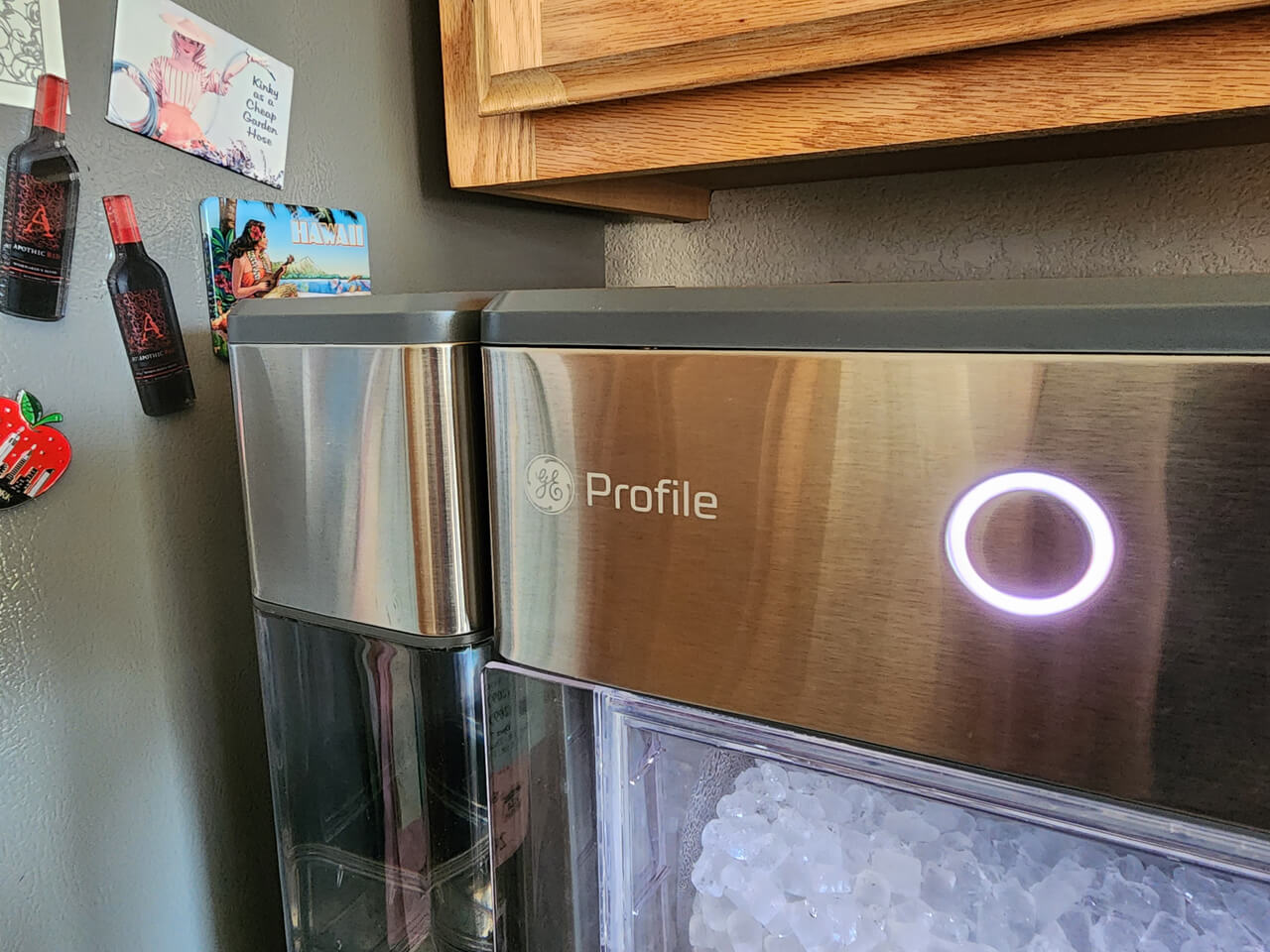
Why Is My GE Opal Ice Maker Not Making Ice?
A GE Opal ice maker needs four things to work well: water, power, cool airflow, and clear sensors. If one part fails, the machine may stop making ice or make ice very slowly.
The most common causes include:
• The water reservoir is empty or not seated correctly
• The ice bin is full or not placed properly
• The ice maker needs cleaning
• The room is too warm
• The fan or air vents are blocked
• The machine needs a reset
• The water filter is clogged
• The internal pump, sensor, or cooling system has a fault
The exact cause can differ by model. GE Opal 1.0, Opal 2.0, and models with side tanks may use different controls and sensors. Still, the basic troubleshooting steps are similar.
Check the Water Supply First
A GE Opal ice maker cannot make ice without enough water. Check the main reservoir before trying more complex fixes.
Fill the reservoir with clean, cool water. Do not fill above the maximum line. If your unit has a side tank, make sure it is full and firmly connected.
Then check these points:
• The reservoir is fully pushed into place
• The water inlet is not blocked
• The side tank hose is connected correctly
• The water level is above the minimum mark
• The water is not frozen inside the tank
• The pump is not making a dry humming sound
Sometimes the tank looks full but is not seated correctly. Remove it, wipe the bottom, and place it back firmly. A poor connection can stop water from reaching the freezing parts.
If you use a water filter, remove it for a short test if your model allows this. A blocked filter can slow water flow. Replace the filter if it looks dirty or has passed its recommended use period.
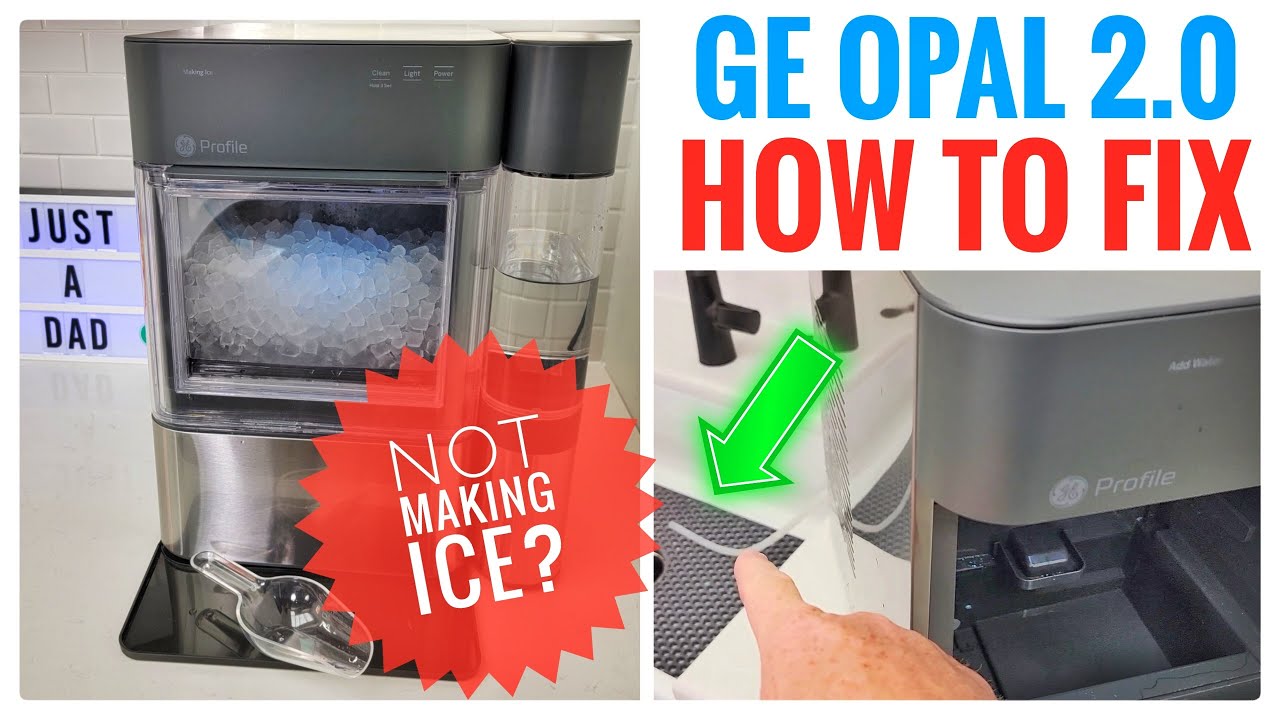
Make Sure the Ice Bin Is Installed Correctly
A full or poorly seated ice bin is another common reason people ask, “why is my GE Opal ice maker not making ice.”
The machine uses sensors to detect the bin. If the bin is full, missing, or slightly out of position, the Opal may stop its ice cycle. Remove the bin and check for loose ice around the opening.
Follow these steps:
- Turn the ice maker off.
- Remove the ice bin.
- Empty the bin if it is full.
- Clear ice from the chute and metal sensor area.
- Wipe the bin dry.
- Reinstall the bin until it sits flat.
- Turn the unit back on.
Do not force the bin into place. If it does not slide in smoothly, look for ice or debris blocking the rails.
Also remember that nugget ice can melt and join together. A large clump may trick the machine into thinking the bin is full. Break up the ice with a clean plastic tool, not a knife or other sharp object.

Clean the GE Opal Ice Maker
Cleaning is one of the most important answers to why is my GE Opal ice maker not making ice. Mineral scale can build up inside the water system, especially when you use hard water.
Scale may block the pump, reduce water flow, or coat the freezing parts. Mold and slime can also grow if water sits in the machine for too long.
Use the cleaning method listed for your model. In general, the process includes:
• Emptying the water reservoir
• Removing the ice bin
• Adding the recommended cleaning solution
• Running the cleaning cycle
• Draining the machine
• Rinsing it with clean water
• Running one or more rinse cycles
Do not use harsh chemicals unless the manufacturer specifically approves them. Bleach, strong acids, and abrasive tools can damage internal parts or leave unsafe residue.
Clean these areas by hand with a soft cloth:
• The water reservoir
• The ice bin
• The ice chute
• The drain area
• The outside of the machine
• The side tank and its hose
A useful routine is to clean the Opal regularly instead of waiting for a problem. Homes with hard water may need more frequent cleaning.
In my troubleshooting experience, cleaning often solves slow ice production. However, cleaning will not repair a failed pump, broken sensor, or damaged cooling system.

Check the Room Temperature and Airflow
The Opal needs to release heat while it makes ice. If the room is hot or the vents are blocked, the unit may stop or produce very little ice.
Place the machine on a hard, level surface. Leave open space around the sides and back. Do not push it tightly against a wall or place it beside a stove, oven, dishwasher, or direct heat source.
Try these simple changes:
• Move the unit to a cooler room
• Keep it away from direct sunlight
• Clear dust from the air vents
• Avoid placing items on top of the machine
• Leave space around the rear and sides
• Wait for the unit to cool before restarting it
A countertop ice maker is not a freezer. It makes ice, but the bin is not designed to keep ice frozen for a long time. Meltwater returns to the water system in many models, so warm conditions can affect both ice quality and production.
If the room is very warm, allow the Opal to cool for about 30 minutes. Then restart it and check whether production improves.

Reset the GE Opal Ice Maker
A reset can clear a temporary control error. It may help when the machine has power but does not begin a normal ice cycle.
The reset process can vary by model. A safe general method is:
- Turn the Opal off.
- Unplug it from the wall.
- Wait at least five minutes.
- Check the reservoir, bin, and vents.
- Plug the unit back in.
- Turn it on.
- Give it time to start a new cycle.
Do not repeatedly unplug and reconnect the machine every few seconds. Compressors need time to equalize pressure. Rapid cycling may make startup harder.
Some Opal models also support controls through an app. Check the app for alerts, cleaning reminders, or a firmware update. Keep in mind that app settings cannot fix a blocked pump or failed mechanical part.
If the unit makes a brief sound after the reset, that may be normal. Ice production is not instant. Depending on the model and conditions, the first ice may take a while to appear.
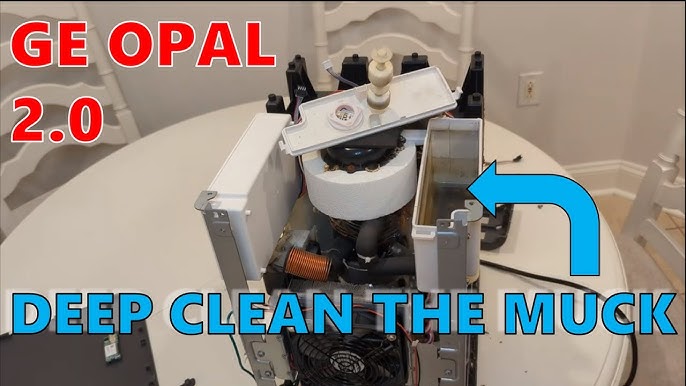
Look for a Blocked Pump or Water Line
When people ask why is my GE Opal ice maker not making ice, they often report a humming sound. This can mean the pump is trying to move water but cannot do so.
Turn the unit off and inspect the water path. Look for:
• Mineral buildup
• Ice blocking the water outlet
• A kinked side tank hose
• Dirt around the pump screen
• Water trapped in the wrong area
• A frozen line
Never insert metal objects into the machine. If you can see ice blocking a safe, removable area, allow the unit to thaw naturally after unplugging it.
Do not use a heat gun or hair dryer near water. Excess heat can damage plastic parts and create a safety risk.
If the pump hums for a long time but water does not move, stop the machine. Continued operation may place extra strain on the pump. At that point, professional service may be safer than taking the unit apart.
Check the Power and Control Settings
A GE Opal ice maker may appear dead when the issue is actually power. Check the outlet and power cord before assuming the appliance has failed.
Plug another small appliance into the same outlet. If that appliance also fails, check the circuit breaker or use another outlet.
Also inspect:
• The power cord for cuts or damage
• The plug for loose connections
• The power button or display
• Error lights or alert tones
• App settings that may have paused production
Avoid using a damaged cord or a loose extension cord. High-power appliances work best when connected directly to a suitable wall outlet.
If the display works but the machine will not start, look for a full-bin alert, a cleaning alert, or a water warning. These alerts can explain why is my GE Opal ice maker not making ice without any internal failure.
Understand Normal Ice-Making Time
Sometimes the GE Opal is working normally but needs more time. The first batch usually takes longer than later batches because the system must cool down first.
Ice production can change based on:
• Room temperature
• Water temperature
• Water quality
• Cleaning condition
• Airflow
• Ice bin temperature
• How often the bin is opened or disturbed
Do not judge the machine after only a few minutes. Let it run through a complete cycle. If there is still no ice after a reasonable wait, continue with the water, cleaning, airflow, and reset checks.
A small amount of ice may also be normal during the first cycle. Once the system reaches its operating temperature, production may become more consistent.

What Different Sounds May Mean
Sounds can provide useful clues when you wonder why is my GE Opal ice maker not making ice. A soft hum, click, fan sound, or water movement may be normal during operation.
Here is a simple guide:
• A soft hum may come from the pump or compressor
• Water movement may occur during filling
• Clicking may happen as the system changes modes
• A fan sound may increase when the unit is warm
• Loud grinding may point to ice buildup or a mechanical issue
• Repeated buzzing without water flow may suggest a pump problem
A sudden new sound deserves attention. Turn the machine off if you hear grinding, scraping, burning smells, or loud electrical buzzing.
Keep a short note of what you hear and when it happens. This information can help a service technician find the problem faster.
Common Mistakes to Avoid
Many users make the problem worse by rushing the repair. Small countertop appliances still contain electrical parts, moving parts, and water.
Avoid these mistakes:
• Do not run the machine without water
• Do not use sharp tools to remove ice
• Do not pour boiling water into the reservoir
• Do not spray cleaner into the control panel
• Do not use unapproved chemicals
• Do not block the ventilation openings
• Do not open sealed cooling parts
• Do not keep running the unit when it smells burnt
One mistake I often see is cleaning only the bin. The bin may look clean while mineral deposits remain in the pump or water path. A full cleaning cycle is more useful than wiping the visible parts alone.
Another common mistake is assuming that more water means better performance. Filling above the marked line can cause spills and may interfere with normal operation.
When to Contact GE Support or a Technician
If your GE Opal ice maker still does not make ice after basic troubleshooting, it may have a failed component. Possible causes include a faulty water pump, temperature sensor, fan, control board, or sealed cooling system.
Contact support or a qualified appliance technician when:
• The unit has no power after outlet checks
• The compressor never starts
• The pump runs but never moves water
• Ice production stops after a short time
• The machine leaks from an internal area
• A warning light keeps returning
• You smell burning plastic or wiring
• The unit makes loud grinding or electrical noises
• Cleaning and resetting do not help
Check the warranty before opening the housing. DIY repairs may void coverage and can create shock or water damage risks.
Have the model number, purchase date, error message, and troubleshooting steps ready. A clear description can reduce service time.
How to Prevent Future Ice Problems
Preventive care can help your Opal make cleaner ice and run more reliably. Think of it like caring for a coffee maker: clean water and regular cleaning matter.
Use this simple routine:
• Empty old water when the machine will sit unused
• Clean the water system as recommended
• Wash the bin often
• Replace the filter when needed
• Keep vents free of dust
• Use clean drinking water
• Keep the machine level
• Avoid hot, crowded counter spaces
• Do not leave melted ice sitting for days
Filtered water may reduce taste and mineral issues, but it does not remove the need for cleaning. Even good water can leave deposits over time.
If you will not use the appliance for several days, drain it, clean it if needed, and let removable parts dry. This helps reduce odors and buildup.
Frequently Asked Questions About Why Is My GE Opal Ice Maker Not Making Ice
Why is my GE Opal ice maker not making ice after cleaning?
The machine may need a complete rinse, a reset, or more time to cool down. Check that the reservoir and bin are seated correctly, then unplug the unit for five minutes before restarting it.
How long does a GE Opal ice maker take to make ice?
The first batch can take longer because the unit must cool down. Room temperature, water temperature, airflow, and the model itself can affect the total time.
Why does my GE Opal ice maker have water but no ice?
Water may not be reaching the freezing area because of a clogged filter, blocked pump, ice buildup, or a sensor problem. Clean the unit, check the water path, and make sure the room is not too warm.
Can a dirty GE Opal ice maker stop making ice?
Yes. Mineral scale and buildup can restrict water flow and affect sensors. Run the approved cleaning cycle and rinse the system well before making ice again.
Why is my GE Opal ice maker making a humming noise but no ice?
The pump may be running without moving water, or the cooling system may not be starting. Check for a blocked water path, but contact service if the noise continues after cleaning and resetting.
Does a full ice bin stop the GE Opal from making ice?
Yes. The Opal uses sensors to detect the bin. Empty the bin, remove loose ice near the sensor area, and reinstall it so it sits flat.
Should I unplug my GE Opal ice maker when it is not working?
Unplugging it for about five minutes can clear a temporary control issue. Do not repeatedly cycle the power, and seek service if the unit smells hot, leaks, or makes unsafe sounds.
Conclusion
The most common answer to why is my GE Opal ice maker not making ice is a simple issue with water, cleaning, airflow, the ice bin, or a temporary control fault. Start with the easy checks: fill and seat the reservoir, clear the bin, clean the machine, improve airflow, and perform a safe reset.
If the Opal still will not make ice, stop forcing it to run. A pump, sensor, fan, or cooling problem may need professional service. Work through these steps carefully, and share your results or questions in the comments so other Opal owners can learn from your experience.