
The GE Opal ice maker manual explains setup, cleaning, Wi-Fi use, ice making, and common troubleshooting steps.
The GE Opal ice maker manual is the best place to start when your countertop nugget ice maker needs setup or care. It gives model-specific steps for Opal 1.0, Opal 2.0, side tanks, water filters, Bluetooth or Wi-Fi features, and cleaning cycles. This guide explains how to use that manual with less guesswork, avoid common mistakes, and keep your ice tasting fresh.

What the GE Opal ice maker manual includes
A GE Opal ice maker manual is more than a basic instruction sheet. It is a practical guide for installation, daily use, maintenance, and safe troubleshooting.
Most manuals cover these topics:
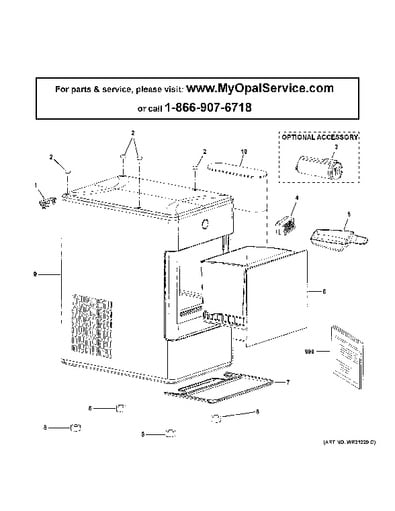
• Parts and controls, including the ice basket, water reservoir, drain tubes, screen, and status lights.
• First-time setup and the correct water level.
• Ice-making instructions and the meaning of indicator lights.
• Cleaning and descaling steps.
• Bluetooth or Wi-Fi setup for compatible Opal 2.0 models.
• Side tank installation and use.
• Troubleshooting for slow ice production, cloudy ice, leaks, and connection problems.
• Warranty, safety, and service information.
The exact instructions can differ by model. An Opal 1.0 manual may not match an Opal 2.0 manual, especially when it comes to the app, water tank, control panel, and cleaning cycle. Always check the model number on the back or side of your machine before following a repair or setup step.
The model number may look similar to words such as Opal01, XPIO13, or another product code. Small differences matter. Think of the manual as a map: the machine may look familiar, but the correct map gets you to the right destination.

How to find the correct GE Opal ice maker manual
The safest way to find the right GE Opal ice maker manual is to use the model number printed on the appliance. Searching only for “Opal ice maker manual” may bring up instructions for a different version.
Follow these steps:
-
Unplug the ice maker before turning it around.
-
Look for the rating label on the rear, side, or bottom of the unit.
-
Write down the full model number and serial number.
-
Check whether the machine is an Opal 1.0 or Opal 2.0.
-
Match the manual to the model number, not just the product name.
-
Save a digital copy on your phone for quick access.
You may also find a printed manual inside the original box. If it is missing, the manufacturer’s support site usually offers a downloadable PDF. Retailer pages and third-party copies can help, but official instructions are better for safety details and model-specific features.
Before using the GE Opal ice maker manual, check the publication date and revision. Newer versions may include updated app instructions or improved cleaning advice.
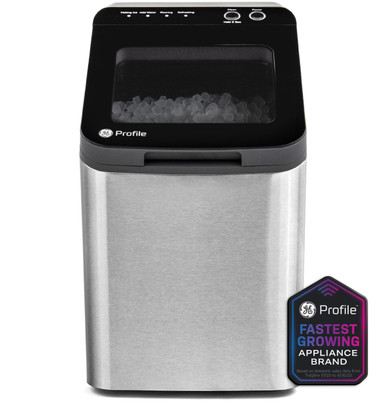
GE Opal ice maker setup instructions
Correct setup helps the machine make ice faster and reduces leaks. Place the unit on a level, stable counter with space around the vents. Avoid placing it beside a hot oven, in direct sunlight, or under a cabinet that blocks air flow.
Use this basic setup process:
-
Remove all packing material, tape, and protective film.
-
Place the ice maker upright on a level surface.
-
Let it stand for the time listed in the manual if it was moved on its side.
-
Wash the ice basket and removable parts with mild dish soap.
-
Fill the water reservoir with clean, cold drinking water.
-
Plug the machine into a grounded wall outlet.
-
Press the power or ice-making button.
-
Discard the first batch if the manual recommends it.
Do not fill the reservoir above the marked line. Too much water can cause spills, sensor errors, or water around the base. Filtered water often improves taste, but the GE Opal ice maker manual should be your final guide on water type and filter use.
The first batch may take longer than later batches. The appliance needs time to cool its internal system before it can form nugget ice. Room temperature, water temperature, ventilation, and cleaning condition all affect production.
How to make nugget ice with a GE Opal ice maker
Nugget ice forms in small, soft pieces that are easy to chew. The machine freezes water around a cold surface, then compresses the ice into chewable nuggets.
For normal use:
• Add clean water to the reservoir.
• Make sure the ice basket is in place.
• Close the lid fully.
• Start the ice-making cycle.
• Wait for the first batch to drop into the basket.
• Use the ice soon, or move it to a freezer if you want to store it.
A countertop ice maker does not usually keep ice frozen like a freezer. Melted ice returns to the water reservoir in many models. This is normal, but the water may become warm over time. For the best texture, use fresh ice soon after it is made.
Keep the lid closed during operation. Opening it often lets warm air inside and may slow production. Also, avoid reaching into the ice chute while the machine is running.
In my experience helping people read appliance manuals, the most common mistake is expecting the first cycle to be instant. Patience matters. The machine is closer to a small cooling system than a simple water dispenser.
Cleaning the GE Opal ice maker
Regular cleaning is one of the most important parts of the GE Opal ice maker manual. Water leaves mineral deposits inside the machine, especially in areas with hard water. Dust and residue can also collect around the ice chute and basket.
A general cleaning routine includes:
-
Turn off and unplug the ice maker.
-
Remove the ice basket and any side tank.
-
Drain the water from the reservoir and drain tubes.
-
Wash the basket and removable parts with mild soap.
-
Run the approved cleaning or descaling cycle.
-
Rinse the system as instructed.
-
Drain all cleaning solution.
-
Run fresh-water rinse cycles.
-
Wipe the outside with a soft, damp cloth.
-
Dry the parts before putting them back.
Use only the cleaning solution recommended for your model. Do not mix bleach, vinegar, descaler, and other chemicals. Chemical mixtures can create harmful fumes and may damage internal parts.
A soft brush can help clean the ice chute and corners. Avoid sharp tools, rough scouring pads, and strong sprays. These can scratch plastic parts or push debris deeper into the machine.
Cleaning frequency depends on use and water quality. A busy household may need more frequent cleaning than a person who uses the unit once a week. If the ice smells odd, tastes stale, looks cloudy, or production slows, clean the unit before assuming it has a mechanical fault.

Using the GE Opal side tank
Some Opal models support a removable side tank. It gives the ice maker a larger water supply, so you do not need to refill the main reservoir as often.
Before installing a side tank:
• Confirm that your model supports it.
• Turn off the ice maker.
• Clean and dry the tank.
• Place the tank on a stable surface beside the unit.
• Connect it as shown in the GE Opal ice maker manual.
• Fill it only to the marked level.
• Check the connection for leaks.
Do not force the tank connector into place. If it does not fit easily, the tank may be misaligned or designed for another model. Using an incompatible tank can cause water leaks or poor operation.
The side tank also needs regular cleaning. Because water can sit in it for long periods, rinse it often and follow the recommended sanitizing schedule. Empty the tank if you will not use the machine for several days.
Connecting an Opal 2.0 to Wi-Fi
Compatible Opal 2.0 models may connect to a mobile app. The app can provide status information, scheduling tools, cleaning reminders, or control options. The exact features depend on the model and software version.
For a smoother connection:
-
Install the correct app on your phone.
-
Turn on Bluetooth and location permissions if requested.
-
Place the phone close to the ice maker.
-
Use a compatible home Wi-Fi network.
-
Follow the pairing steps in the GE Opal ice maker manual.
-
Keep the app open until setup is complete.
Many smart appliances work best with a 2.4 GHz network during setup. If your router combines 2.4 GHz and 5 GHz bands, temporarily separating the bands may help. Check your router instructions before changing network settings.
If pairing fails, unplug the ice maker for about one minute and restart the app. Confirm that the Wi-Fi password is correct and that the phone is connected to the same home network. Do not reset the machine repeatedly without checking the manual, because a reset may remove saved settings.
GE Opal ice maker troubleshooting
The GE Opal ice maker manual usually includes a troubleshooting chart. Use it before taking the machine apart. Most home fixes involve water, airflow, cleaning, or a loose connection.
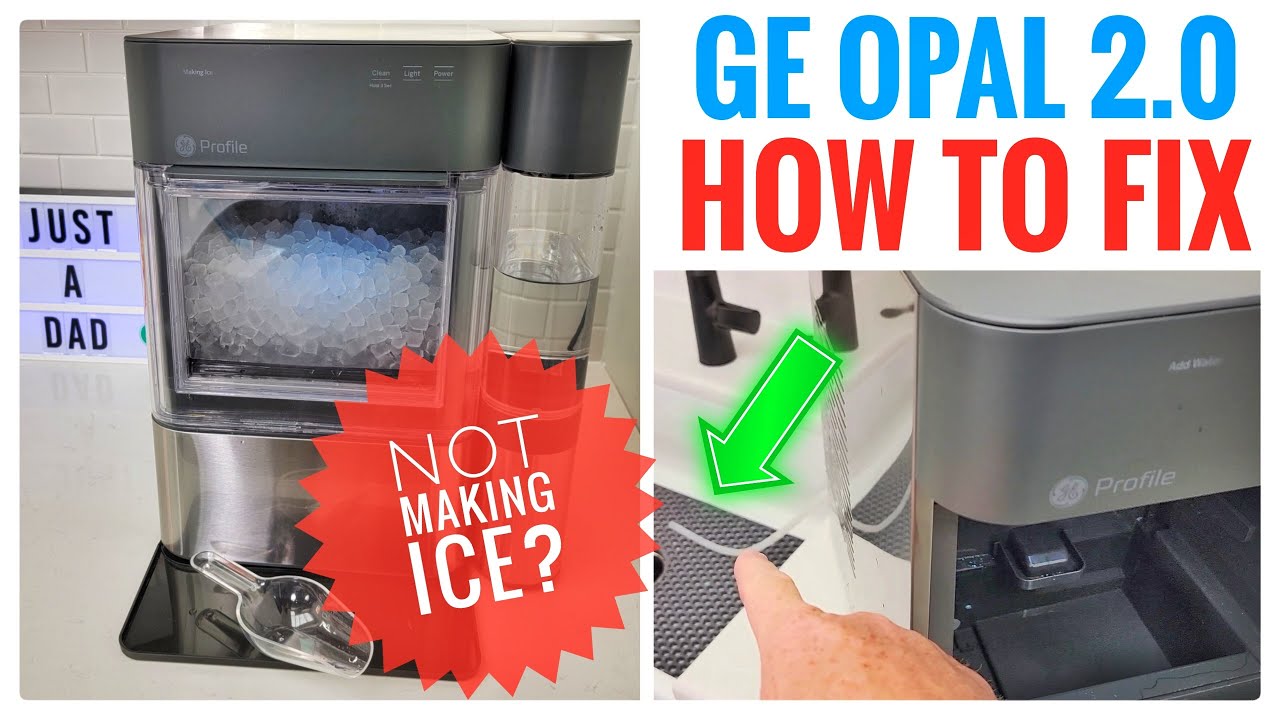
The ice maker is not making ice
Check these items:
• Confirm that the unit has power.
• Make sure the reservoir contains enough water.
• Check that the basket is seated correctly.
• Look for a full-basket warning.
• Make sure the vents are not blocked.
• Clean the machine if it has mineral buildup.
If the room is very warm, production may slow. The machine needs to release heat while it works. Give it several inches of open space, especially around the rear and sides.
Ice production is slow
Slow production often comes from warm water, poor ventilation, or scale buildup. Use cold water, move the appliance away from heat, and run the cleaning cycle listed in the GE Opal ice maker manual.
Avoid placing the unit directly against a wall. A small gap can make a noticeable difference in airflow.
The ice tastes or smells strange
Old water, dirty parts, or a new plastic smell may affect taste. Drain the system, wash the removable parts, and run the recommended cleaning and rinse cycles.
Use fresh drinking water each time you restart the unit after a long break. If the smell remains after cleaning, stop using the machine and contact support.
The unit is leaking
First, unplug the appliance and dry the counter. Check the drain plugs, reservoir, side tank, and tubing for incorrect placement or damage.
Do not continue using a leaking machine near an outlet. If the leak returns after you reseat the parts, follow the service advice in the GE Opal ice maker manual.
The app will not connect
Restart the app, confirm Bluetooth and Wi-Fi permissions, and check the network band. Keep the phone near the ice maker during pairing.
If the problem continues, remove the appliance from the app and add it again. Use a factory reset only when the manual recommends it.
Safety tips from the GE Opal ice maker manual
Safe use starts with a few simple habits. The ice maker uses water and electricity in the same appliance, so care matters.
• Plug the machine into a properly grounded outlet.
• Do not use an extension cord unless the manufacturer specifically allows it.
• Keep the power cord away from hot surfaces and standing water.
• Unplug the unit before cleaning or moving it.
• Do not immerse the appliance in water.
• Keep children away from moving parts and the ice chute.
• Do not use damaged cords, plugs, tanks, or drain tubes.
• Leave ventilation openings clear.
• Do not use the ice maker outdoors unless the model is rated for outdoor use.
The manual may list additional warnings for your exact model. Follow those instructions even if another Opal model appears similar. Appliance safety advice is not interchangeable.
Mistakes to avoid when using an Opal ice maker
Small errors can shorten the life of an ice maker. These mistakes appear often in user reports and service discussions.
• Skipping the first cleaning cycle. New machines still need a rinse before regular use.
• Using too much water. The fill line is there for a reason.
• Ignoring mineral scale. Buildup can restrict water flow and affect sensors.
• Blocking the vents. Heat cannot escape through a crowded counter.
• Leaving old water in the reservoir. Stale water can affect taste and hygiene.
• Using harsh chemicals. They may damage plastic and leave unsafe residue.
• Following the wrong manual. Opal 1.0 and Opal 2.0 instructions are not always the same.
• Moving the appliance while it contains water. This can cause spills and internal damage.
One lesson I have seen repeatedly is that prevention costs less effort than repair. A short cleaning routine each week is easier than dealing with poor ice, leaks, or a machine that stops mid-cycle.
When to contact GE support
Use the GE Opal ice maker manual for basic setup and care. Contact authorized support when the machine has an electrical fault, repeated error, damaged cord, persistent leak, or unusual noise.
Have this information ready:
• Full model number.
• Serial number.
• Purchase date.
• Description of the problem.
• Steps you have already tried.
• Photos or video of a leak or error light, if useful.
Do not open the sealed refrigeration system or attempt electrical repairs at home. Refrigerant and electrical work require proper training and tools. A manual can guide safe user maintenance, but it is not a substitute for professional service.
Frequently Asked Questions about the GE Opal ice maker manual
Where can I find the GE Opal ice maker manual?
You can usually find it with the original packaging or in the manufacturer’s online product support area. Search by the complete model number because “Opal ice maker” alone may show instructions for a different version.
How often should I clean a GE Opal ice maker?
Clean the machine based on use, water quality, and the instructions for your model. Clean it sooner if the ice tastes unusual, looks cloudy, smells bad, or production becomes slow.
Can I use vinegar to clean my Opal ice maker?
Do not assume vinegar is approved for every model. Check the GE Opal ice maker manual first, and use only the cleaner or descaling method listed for your appliance.
Why is my GE Opal ice maker not making ice?
Check power, water level, basket position, airflow, room temperature, and mineral buildup. If these steps do not solve the problem, use the manual’s error guide or contact support.
Can I leave water in the Opal ice maker overnight?
It is better to follow the storage and cleaning instructions for your model. If the machine will not be used for some time, draining and drying it helps reduce stale water and buildup.
Does the Opal 2.0 need Wi-Fi to make ice?
No. Wi-Fi is needed only for compatible smart features, such as app control or alerts. The basic ice-making function can normally be operated from the appliance controls.
Why does my Opal ice maker make loud noises?
Some humming, clicking, water movement, and ice-dropping sounds are normal. Loud grinding, repeated knocking, or a new unusual sound may signal a problem that needs service.
Conclusion
The GE Opal ice maker manual gives you the safest path for setup, cleaning, app connection, side tank use, and troubleshooting. The most important habits are simple: confirm the model number, use clean water, keep the vents open, clean the machine on schedule, and follow model-specific instructions.
Treat your Opal ice maker like a small kitchen appliance that needs routine care, not a set-and-forget machine. Save the correct GE Opal ice maker manual on your phone, follow its cleaning steps, and contact support when a problem goes beyond basic maintenance.