
The latest version of Blender 3D offers powerful modeling, animation, rendering, and creative tools at no cost.
You open Blender to make a simple object, then face a busy screen full of buttons, panels, and tools. I know that feeling. A good guide can turn that first moment of doubt into a clear path. The books below cover Blender basics, modern workflows, rendering, animation, and game assets. I also explain which guide fits each type of learner, so you can spend less time guessing and more time creating.
Blender 3D By Example
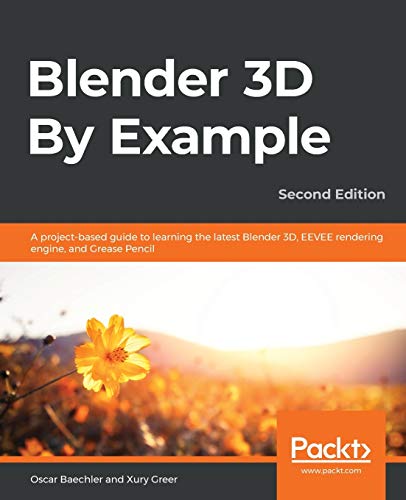
Blender 3D By Example takes a project-first approach to learning. Instead of asking you to memorize every tool, it leads you through practical scenes and creative tasks. That method feels closer to real work than a long list of menu commands. I find this useful because each project gives a clear reason to use a new feature.
The book also discusses the EEVEE rendering engine and Grease Pencil. Those topics matter if you want quick previews, stylized scenes, or 2D and 3D work in the same project. It is not a perfect guide to every feature in the latest version of Blender 3D, but it can still build a strong working base. Buyers should check the edition date and compare steps with the current Blender interface before starting.
Pros:
- Uses hands-on projects instead of only theory
- Introduces EEVEE in a practical way
- Covers Grease Pencil for mixed 2D and 3D work
- Helps learners remember tools through use
- Offers a useful bridge from basics to small scenes
- Works well for visual learners who like clear goals
Cons:
- Some menus may differ from the current Blender release
- It may not cover newer Geometry Nodes features in depth
- Beginners may still need extra help with interface changes
Blender 2026 for Beginners and Experts

This guide targets both new users and experienced artists. Its title points to current workflows, step-by-step lessons, and game asset creation. That broad scope may appeal to readers who want one book rather than several narrow manuals. I especially like the promise of a structured path, since Blender rewards steady practice more than random tool testing.
New users can use the early lessons to learn the interface, modeling, materials, lighting, and basic animation. More advanced readers may focus on production habits and asset workflows. Still, a future-dated title deserves careful checking. Blender changes often, so I would confirm that the book matches the official release notes for the latest version of Blender 3D before relying on every shortcut or panel name.
Pros:
- Designed for both beginners and skilled users
- Focuses on step-by-step learning
- Includes modern game asset goals
- May help users build a full study plan
- Connects basic skills with larger creative projects
- Useful for readers who want one broad reference
Cons:
- The wide scope may leave some topics less detailed
- Readers should verify claims about future Blender features
- Advanced artists may prefer official documentation for exact updates
Blender Steps for Animation and Images

Blender Steps comes from an earlier stage of Blender’s history. It focuses on creating animations and photoreal images with Blender 2.63. That version is now old, so I would not buy this book as a direct manual for the latest version of Blender 3D. However, it can still show the basic order of a 3D project, from modeling and materials to lights, cameras, and final output.
This book may suit readers who enjoy learning from older references or want to understand how Blender developed. Its core ideas remain useful because polygons, cameras, lights, textures, and keyframes still shape most 3D scenes. The interface, render tools, and shortcuts have changed greatly, though. Treat it as a historical learning aid, not a current software guide.
Pros:
- Explains the basic parts of a 3D workflow
- Focuses on animation and image creation
- May help learners understand older Blender concepts
- Can provide simple project ideas
- Useful for readers who like printed technical books
- Offers low-cost access to Blender history
Cons:
- Written for Blender 2.63, not a current release
- Many interface steps are now outdated
- Modern render engines and workflows are missing
- New users may become confused by old terminology
Blender Foundations

Blender Foundations is another older reference. It covers Blender 2.5 and aims to teach the essential ideas behind the software. Like learning the frame of a house before painting the walls, a foundations book can help explain how objects, scenes, editors, and tools fit together. That view can remain valuable even when the interface changes.
I would use this guide for basic concepts, not current button locations. The latest version of Blender 3D has a different layout, improved rendering tools, and many features that did not exist when this book was written. It may work best as a supplement for a learner who already follows current videos or official manuals.
Pros:
- Builds a broad base of Blender knowledge
- Explains core 3D ideas in a structured format
- May help readers understand older Blender workflows
- Useful as a low-cost supplemental reference
- Supports learners who prefer detailed books
- Can clarify the purpose of major Blender editors
Cons:
- Written for Blender 2.5
- Not suitable as a stand-alone guide for current Blender
- Modern features such as current Geometry Nodes workflows are absent
- Some instructions may be hard to follow in a new release
My Recommendation
For most new users, Blender 3D By Example is the strongest practical choice. Its project-based format gives each lesson a clear purpose, and its coverage of EEVEE and Grease Pencil adds useful range. If you want a broader guide with game asset goals, the Blender 2026 title may be worth considering after you confirm its edition and release details.
The two older books are best for background learning. They can explain lasting 3D ideas, but they should not replace current manuals for the latest version of Blender 3D. Blender is free, yet your time is not. A current guide, official release notes, and regular practice will give you the best value.
| Best for | Why |
|---|---|
| Project-based beginners | Blender 3D By Example turns tools into practical scenes and tasks. |
| Game asset learners | Blender 2026 for Beginners and Experts focuses on broad workflows and asset goals. |
| Historical or concept study | The older guides can explain basic 3D ideas, but they need a current reference beside them. |
What Is the Latest Version of Blender 3D?
Blender follows a regular release system, with major versions, smaller updates, and maintenance releases. Because releases change during the year, the phrase “latest version of Blender 3D” needs a date beside it. The safest method is to visit the official Blender download page and check the version shown there on the day you install the software.
Blender’s official release notes describe new tools, bug fixes, known issues, and changes to behavior. I always check those notes before starting a serious project. This habit matters because a small update can change a shader, a render result, a simulation setting, or the location of a control.
Do not judge a book only by its title. A guide may say “latest Blender” while showing an older interface. Compare its screenshots with your installed build. If the panels look different, use the book for the idea, then use current documentation to find the matching control.
What Makes Blender 3D Worth Learning?
Blender combines modeling, sculpting, rigging, animation, rendering, compositing, video editing, and motion graphics. You can build a simple product model in the morning and animate a character in the afternoon. Few free tools offer such a wide set of features in one package.
The software also supports many common file formats. That helps when you move assets into a game engine, a video editor, or a 3D printing workflow. Blender can serve as a sketchbook, a classroom, or a full production tool. The learning curve is real, but the free price lowers the risk of trying it.
I also value Blender’s active community. Users share tutorials, add-ons, assets, and troubleshooting tips. Still, community advice can vary in quality. For important facts about the latest version of Blender 3D, I trust official documentation and release notes first.
Key Features to Look For
Modeling Tools
Blender offers tools for mesh editing, curves, modifiers, and procedural modeling. Beginners often start with simple shapes, then learn loop cuts, bevels, extrusion, and snapping. These skills form the grammar of hard-surface modeling.
More advanced users may explore Geometry Nodes. This system lets you create procedural effects and reusable setups. It can feel difficult at first, but it rewards careful study. A good book should explain why a node works, not just tell you where to click.
Cycles and EEVEE Rendering
Blender includes Cycles and EEVEE, which serve different needs. Cycles uses path tracing for realistic light behavior, while EEVEE offers faster feedback for many scenes. Your choice depends on quality, speed, hardware, and the look you want.
When reading about the latest version of Blender 3D, check whether a guide explains the current render system. Render engines change over time. Settings that worked in an older build may move, gain new names, or behave in a different way.
Animation and Rigging
Blender supports keyframes, armatures, constraints, shape keys, and non-linear animation. These tools help you control characters, cameras, products, and moving machines. A strong beginner guide should explain timing as well as buttons.
Animation can seem like magic until you view it as a chain of small choices. Set a pose, set a keyframe, move through time, and adjust the next pose. The same basic idea works for a bouncing ball and a complex character.
Grease Pencil
Grease Pencil lets artists draw in a 2D style while using a 3D scene. You can combine flat lines with depth, lights, cameras, and models. This makes it useful for storyboards, motion graphics, stylized animation, and experimental art.
Because Grease Pencil tools can change between major releases, always check the guide’s edition. A book that explains the concept may remain useful, but its exact steps may not match the latest version of Blender 3D.
Compositing and Video Work
Blender also includes a compositor and a video sequence editor. These tools can help you finish a project without leaving the program. You can combine render passes, correct color, add effects, and arrange clips.
I would not expect one beginner book to explain every part in depth. Instead, look for a guide that helps you understand the full path from idea to final image. Then study specialist topics as your needs grow.
How to Choose a Blender Book
First, check the Blender version in the book. A clear edition statement is a good sign. If the product page does not show a version or publication date, read the sample pages and inspect the screenshots.
Next, match the book to your goal. A character artist needs rigging and animation. A product designer needs clean modeling and materials. A game artist needs UVs, baking, export settings, and efficient topology.
Think about your learning style, too. Some people prefer a reference book with short lessons. Others need a project that creates momentum. I usually recommend a project-based guide for new users because a finished result gives each practice session a reason.
Finally, consider whether the book includes downloadable files. Practice files can save time and help you compare your result with the lesson. They do not replace practice, but they make it easier to find where a mistake began.
Common Problems New Blender Users Face
A Crowded Interface
Blender places many tools on screen because it supports many types of work. That can feel like walking into a workshop with every tool on the wall. Start with the 3D Viewport, Outliner, Properties editor, and Timeline. Learn other areas when a project needs them.
Wrong Object or Mode
Many early mistakes come from editing the wrong object or using the wrong mode. Object Mode controls whole objects. Edit Mode changes their components. Before you blame the software, check the selected object and the mode shown in the interface.
Slow Viewport Performance
Heavy scenes can slow down any computer. Lower the viewport quality, hide objects, use simpler preview settings, and close extra programs. For large scenes, work with linked assets or low-detail versions until the final stage.
Unclear Lighting
A model may look flat because the lights are weak or poorly placed. Try one large key light, a softer fill light, and a simple background. Watch the shadows. Light often reveals more about form than another modeling tool.
Outdated Tutorials
Old tutorials can teach useful ideas but show old menus. Pause and identify the goal of the step. Then search current documentation for that feature. This approach helps you learn the principle without becoming trapped by an old interface.
Tips for Learning the Latest Version of Blender 3D
Start with a small project. Make a mug, lamp, toy, room, or simple vehicle. A small goal lets you practice modeling, materials, lighting, and rendering without drowning in options.
Use keyboard shortcuts slowly. Learn only a few at a time, such as move, rotate, scale, duplicate, and frame selected. Shortcuts save time, but they help most after you understand the action they trigger.
Save versions of your file. Add numbers to the file name before major changes. If a modifier breaks the model or a render setting causes trouble, you can return to an earlier file.
Keep a small note of problems and fixes. Write down the error, the cause, and the solution. This turns frustration into a personal reference guide. Over time, that simple list becomes more useful than many random tutorials.
Use official release notes when you update. The latest version of Blender 3D may add a useful feature, but it may also change a workflow. A few minutes of reading can prevent hours of confusion.
Are Older Blender Books Still Useful?
Yes, but only for certain jobs. Older books can explain modeling terms, camera concepts, animation timing, and the logic of a 3D scene. Those ideas often last longer than interface layouts.
They are less useful for exact menus, render settings, add-ons, and modern procedural tools. Blender 2.5 and Blender 2.63 are far removed from current releases. If you use an older book, keep a current installation and official reference open beside it.
I would choose an older book when it is inexpensive and the buyer understands its limits. I would not choose one as the only learning resource for the latest version of Blender 3D.
Blender 3D Hardware and System Advice
Blender can run on many modern computers, but your experience depends on the project. Simple modeling needs less power than high-resolution animation or path-traced rendering. A fast processor helps with many tasks, while a capable graphics card can speed up supported rendering work.
Memory also matters. Large textures, simulations, and detailed scenes can use a great deal of RAM. A solid-state drive can improve load times and file handling. Before buying hardware, check the current official system requirements because they can change.
Do not assume the newest computer will solve every problem. Good scene organization still matters. Reduce hidden detail, use efficient textures, and avoid unnecessary subdivisions. Smart files often perform better than careless files on expensive hardware.
Value and Buying Advice
Blender itself is free, which gives it excellent value. The main cost is time. A clear book can shorten the path by showing a sensible order, useful habits, and common mistakes.
Before buying, read the description carefully. Check the publication date, version number, file access, format, and sample pages. A low price is not a bargain if the book cannot help with your current goal.
Amazon availability can change, and prices may vary by format. Use the links above to check current stock and pricing. For software facts, compare product claims with the official Blender website and current release notes.
FAQs Of latest version of blender 3d
What is the latest version of Blender 3D?
The latest version changes as Blender publishes new releases. Check the official Blender download page for the current build on the day you install it. Also review the matching release notes before starting a major project.
Is Blender 3D free to use?
Yes. Blender is free and open-source software. You can use it for personal work, learning, and commercial projects under its license terms.
Which book is best for a complete beginner?
Blender 3D By Example is the best fit among these choices for a project-focused beginner. It gives lessons a clear purpose and covers useful areas such as EEVEE and Grease Pencil.
Can I use an old Blender book with the current software?
Yes, for basic ideas and general 3D concepts. Do not expect every shortcut, panel, or render setting to match the latest version of Blender 3D.
Should I learn Blender from books or videos?
Books offer structure and easy review. Videos show motion and interface steps. I recommend using both, with a current guide for structure and official documentation for version-specific details.
Final Verdict: Which Should You Buy?
Buy Blender 3D By Example if you want the best practical starting point. Choose the broader 2026 guide for game asset study after checking its edition and accuracy.
Older books still teach useful ideas, but they do not replace current help for the latest version of Blender 3D. Check availability, verify release details, and practice with small projects.