
An Opal ice maker may stop making ice because of low water, a clogged filter, poor airflow, or a cleaning alert.
When your Opal ice maker is not making ice, the problem often has a simple fix. A low water level, full ice bin, dirty sensors, or a blocked air vent can stop the machine. This guide explains each cause, shows safe steps to restore ice production, and helps you know when professional service is the better choice.

Why Your Opal Ice Maker Is Not Making Ice
An Opal ice maker needs water, power, airflow, and clean internal parts to make nugget ice. If one of these needs is missing, the machine may stay quiet or show a warning light.
The most common reasons include:
• The water reservoir is empty or not seated correctly.
• The ice bin is full, or the ice level sensor is blocked.
• The water filter is old, clogged, or installed incorrectly.
• The machine needs a cleaning cycle.
• The side or rear air vent is blocked.
• The unit is too warm or is sitting near a heat source.
• The app, firmware, or Wi-Fi connection has caused a control issue.
• A pump, fan, thermistor, or control board has failed.
When an Opal ice maker is not making ice, do not begin by taking the machine apart. Start with simple checks. Many ice maker problems are caused by placement, water flow, or routine cleaning rather than a major mechanical failure.

Quick Checks Before Troubleshooting
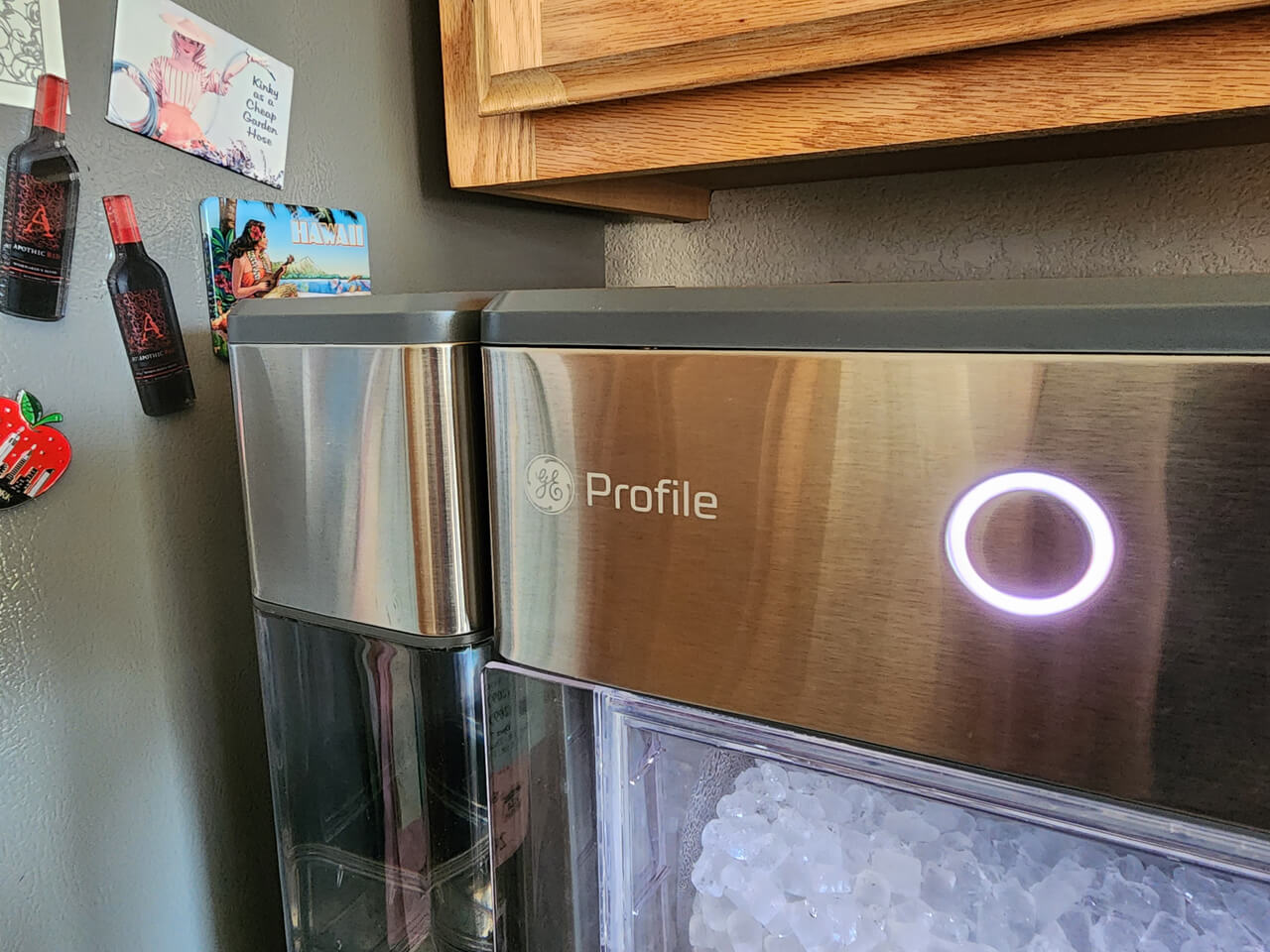
Before testing parts, look at the machine’s lights and listen to its sounds. A steady white light may show normal operation, while a yellow light can signal the need for cleaning on some Opal models. Light patterns can differ by model, so check your owner’s guide if the display is unclear.
Use this quick checklist:
• Confirm that the power cord is firmly connected to a working outlet.
• Make sure the ice maker is switched on.
• Check that the water reservoir contains clean, cool drinking water.
• Confirm that the ice bin is fully inserted.
• Remove any loose ice blocking the bin or ice chute.
• Make sure the machine sits level on a hard surface.
• Leave open space around the vents.
• Check the app for alerts if you own a connected Opal model.
If your Opal ice maker is not making ice after these checks, unplug it for about 10 minutes. This can reset temporary control errors. Plug it back in, add water, and allow several minutes for the machine to begin its normal cycle.
How to Fix an Opal Ice Maker Not Making Ice
Follow these steps in order. Testing one item at a time makes it easier to find the real cause.
1. Check the water level
Fill the reservoir to the marked line. Do not overfill it. Use fresh drinking water rather than water with pulp, flavoring, or added ingredients.
If the water tank is removable, take it out and place it back carefully. It must sit flat so the machine can detect the water level. A tank that looks full but is not seated correctly may still trigger a low-water warning.
2. Check the ice bin
Remove the ice bin and inspect the area below it. Melted ice can refreeze around the sensor or create a block that prevents normal operation.
Empty the bin if it is full. Then wipe away excess water and return the bin to its proper position. Some Opal units stop making ice when the bin sensor believes the storage area is full.
3. Inspect the water filter
A blocked filter can reduce water flow. If water reaches the machine slowly, the evaporator may not receive enough water to form ice.
Replace the filter according to the instructions for your model. After installation, flush the filter with water if the instructions require it. A filter that is not fully locked in place can also cause poor water flow.
4. Clean the machine
Mineral scale, dust, and biofilm can build up inside an ice maker. This is more likely in areas with hard water. Dirty parts can affect water flow, ice quality, and sensor readings.
Run the manufacturer’s cleaning cycle. If your model does not have an automatic cycle, follow the manual’s instructions for cleaning the reservoir, water lines, ice chute, and bin.
Never mix cleaning products. In particular, do not combine bleach with vinegar or other cleaners. Rinse all food-contact parts well after cleaning.
5. Improve airflow
An Opal ice maker creates heat while it runs. If the vents are blocked, the machine may overheat and stop producing ice.
Move the unit away from walls, cabinets, ovens, and direct sunlight. Keep clothing, paper, and other items away from the side and rear vents. The exact clearance depends on the model, so follow the spacing listed in the manual.
6. Check the room temperature
Very hot rooms can reduce ice production. A garage, enclosed porch, or sunny kitchen may become too warm for steady operation.
Move the ice maker to a cool, dry indoor area. Do not place it in a freezing location. Frozen water lines can also stop normal operation and may damage internal parts.
7. Reset the machine
Unplug the Opal ice maker. Wait at least 10 minutes, then reconnect it directly to a wall outlet.
Avoid using a loose extension cord or overloaded power strip. If the machine powers on but quickly stops, test the outlet with another small appliance. A weak outlet or tripped circuit can look like an ice maker failure.

Common Reasons an Opal Ice Maker Stops Producing Ice
Low water or poor water flow
The machine may show a low-water warning even when some water remains in the tank. This can happen when the water is below the sensor level or when the reservoir is not seated correctly.
A dirty inlet screen or clogged filter can also slow the flow. If the pump sounds like it is running but no water moves, cleaning and filter replacement should be early steps.
A full ice bin sensor
The ice maker uses a sensor to detect the ice level. Ice cubes, frost, or a wet surface can interfere with that sensor.
Remove the bin and allow it to dry. Do not push ice against the sensor. Keep the storage area clear so the machine can identify the actual ice level.
A cleaning reminder
Mineral deposits can form on cold surfaces and inside water passages. These deposits act like a thin blanket. They reduce water contact and make it harder for the machine to freeze water efficiently.
A regular cleaning schedule helps prevent this issue. Homes with hard water may need more frequent cleaning than homes with soft water.
Poor ventilation
The Opal unit must release heat as it operates. When airflow is restricted, the water may not become cold enough to freeze.
This is one reason an Opal ice maker is not making ice after being moved under a cabinet. Give the unit room to breathe, and never cover it while it is running.
Ice stuck inside the evaporator
Sometimes ice forms but does not release properly. The machine may seem unable to make ice because the previous batch remains stuck.
Turn off and unplug the unit. Let the ice melt naturally. Do not use a knife, screwdriver, or other sharp object to break it loose. Sharp tools can damage the evaporator and create a costly repair.
App or software problems
Connected Opal models may use an app for settings, alerts, and updates. A temporary connection problem may cause confusing information, such as a false status or delayed alert.
Restart the app and check the machine’s physical controls. If the ice maker works manually but not through the app, the issue may involve the network or software rather than the ice-making system.

What the Lights and Sounds May Mean
The indicator lights can provide useful clues, but the meaning varies by Opal model. Always compare the light pattern with the instructions for your exact unit.
Common signs include:
• A low-water light may mean the reservoir is empty, misaligned, or not detected.
• A full-bin light may mean the bin is full or the sensor is blocked.
• A cleaning light may mean the machine needs a cleaning cycle.
• No light at all may point to a power issue, a control problem, or a failed component.
• A humming sound may indicate that the pump or compressor is running.
• Clicking without ice production may suggest a control, sensor, or water-flow issue.
A short pause is normal during some parts of the ice-making cycle. However, constant clicking, loud grinding, burning smells, or repeated shutoffs are not normal. Unplug the machine if you notice these signs.

How Long Does an Opal Ice Maker Take to Make Ice?
A new batch may take several minutes to begin, especially after the machine has been unplugged or moved. The first cycle can take longer than later cycles because the internal parts need time to cool.
Production speed depends on room temperature, water temperature, ventilation, model, and cleanliness. Very cold water does not always solve the problem, and warm room air can slow production.
If your Opal ice maker is not making ice after it has run for a reasonable period, check whether the water level changes. If the reservoir level never changes, focus on the filter, pump, inlet path, and sensor. If water moves but never freezes, focus on airflow, room temperature, and possible refrigeration problems.

Cleaning Your Opal Ice Maker the Right Way
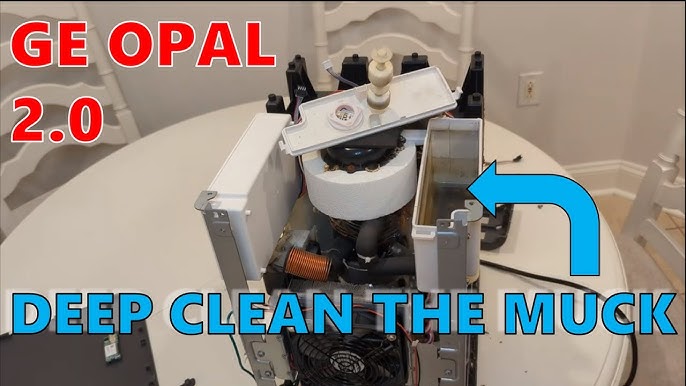
Cleaning is one of the most important ways to prevent an Opal ice maker from not making ice. It also protects the taste and smell of the ice.
Use this general process:
-
Turn off and unplug the ice maker.
-
Remove the ice bin, water reservoir, filter, and other removable parts.
-
Discard old ice.
-
Clean removable parts as directed in the manual.
-
Run the approved cleaning solution through the cleaning cycle.
-
Drain the solution completely.
-
Rinse the reservoir and internal path as instructed.
-
Run fresh water through the machine if the instructions allow it.
-
Dry the outside and return the parts to their correct positions.
Do not guess about cleaning chemicals. The wrong product can damage seals or leave an unsafe residue. If your manual recommends a specific cleaner, follow that guidance.
In my experience, rushing the rinse step is a common mistake. The machine may look clean, yet a small amount of cleaner can affect the next batch of ice. Take time to rinse well and discard the first batch after cleaning if the instructions recommend doing so.
Mistakes to Avoid
A few quick fixes can create bigger problems. Avoid these common mistakes when an Opal ice maker is not making ice:
• Do not use a sharp tool to chip away stuck ice.
• Do not fill the reservoir above the marked line.
• Do not run the unit with blocked vents.
• Do not use hot water unless the manual specifically allows it.
• Do not mix vinegar, bleach, or other cleaning products.
• Do not operate the machine if the cord or plug is damaged.
• Do not keep using the unit if it has a burning smell or leaks near electrical parts.
• Do not assume every warning light means the same thing on every Opal model.
A careful, slow check is safer than forcing a part or repeatedly restarting the machine. Think of troubleshooting like following a trail. Each observation narrows the list of possible causes.
When to Contact Customer Support or a Technician
Contact the manufacturer or a qualified appliance technician if basic checks do not restore ice production. Service may be needed when the compressor, fan, pump, thermistor, or control board has failed.
Ask for help if:
• The unit leaks water after cleaning.
• The power cord becomes hot.
• The machine trips the circuit repeatedly.
• The compressor clicks but does not start.
• The fan does not run and the unit becomes hot.
• The machine shows the same error after a reset.
• The water pump runs but cannot move water.
• The ice maker is under warranty.
Have the model number, purchase date, error light pattern, and troubleshooting steps ready. A short video of the lights or sounds may help support staff identify the problem faster.
Do not open sealed refrigeration parts yourself. Refrigerant systems require specialized tools and training. Opening them can create safety risks and may affect warranty coverage.
How to Prevent Future Ice-Making Problems
Good care can keep an Opal ice maker producing ice for longer. Prevention is easier than repairing a blocked water line or damaged component.
Follow these habits:
• Clean the machine on the schedule listed in the manual.
• Replace the water filter when required.
• Use fresh drinking water.
• Empty old ice if it has melted and refrozen.
• Keep vents clear.
• Leave space around the machine.
• Keep the unit on a level surface.
• Wipe spills quickly.
• Store the machine in a cool indoor area.
• Watch for changes in sound, ice shape, or production speed.
Water quality matters, too. Hard water contains minerals that can build up inside the machine. Filtered water may reduce deposits, but it does not remove the need for regular cleaning.
A useful lesson from troubleshooting is to watch for small changes. Ice that becomes thinner, cloudy, or slower to form can be an early warning. Acting early may prevent a complete loss of ice production.
Frequently Asked Questions About Opal Ice Maker Not Making Ice
Why is my Opal ice maker running but not making ice?
The machine may have poor water flow, blocked ventilation, a dirty sensor, or a refrigeration problem. Check the reservoir, filter, bin, cleaning status, and air vents before requesting service.
How do I reset an Opal ice maker?
Turn the unit off and unplug it for about 10 minutes. Reconnect it to a working wall outlet, confirm the water level, and restart the machine.
Can a dirty Opal ice maker stop making ice?
Yes. Mineral scale and buildup can affect water flow, sensors, and freezing surfaces. Run the correct cleaning cycle and rinse the machine thoroughly according to the model instructions.
Why does my Opal ice maker say add water when it is full?
The reservoir may not be seated correctly, or the water sensor may be dirty or blocked. Remove and replace the reservoir, check for buildup, and use the cleaning instructions for your model.
Why is my Opal ice maker making small or wet ice?
Small or wet ice can result from warm room conditions, poor airflow, low water flow, or a dirty internal system. Improve ventilation, check the filter, and complete a cleaning cycle.
How long should I wait before deciding my Opal ice maker is broken?
Give the unit time to cool and complete its first cycle after starting or resetting it. If it still produces no ice after checking water, sensors, airflow, filter, and cleaning needs, contact customer support.
Conclusion
When an Opal ice maker is not making ice, begin with the simple causes: water level, bin position, filter condition, cleaning, airflow, and power. Reset the machine only after checking these basics, and avoid sharp tools or unsafe cleaning chemicals.
Regular cleaning and good ventilation can prevent many ice-making problems. If the unit leaks, overheats, trips the breaker, or fails after careful troubleshooting, seek qualified service. Work through the steps above, then share your results or explore more appliance care guides for practical help.