
Turn off an ice maker by raising its shutoff arm, pressing its power switch, or using the control panel.
Learning how to turn off an ice maker is simple, but the right method depends on your refrigerator model. This guide explains the safest steps for common ice makers, what to do before a vacation, and how to avoid leaks, frost, and unwanted noise.
Why Turn Off an Ice Maker?
You may want to turn off an ice maker for several practical reasons. Perhaps the ice bin is full, you are leaving home, or the ice maker keeps making more ice than your family can use.
Turning off the ice maker can also help when:
• You need to clean the ice bin or ice maker parts.
• The ice maker makes a buzzing or clicking sound.
• The water supply is turned off.
• The refrigerator will sit unused.
• Ice cubes are jammed in the ejector area.
• You notice a water leak near the refrigerator.
An ice maker does not need to run all the time. When the storage bin is full, most models stop making ice through a built-in shutoff system. However, the system may still use power and may try to cycle if the sensor or shutoff arm does not work correctly.
In my experience, many people think an ice maker is off because the ice bin is full. That is not always true. A full bin may pause production, but the appliance can still be active. For long periods away, use the manual off setting.
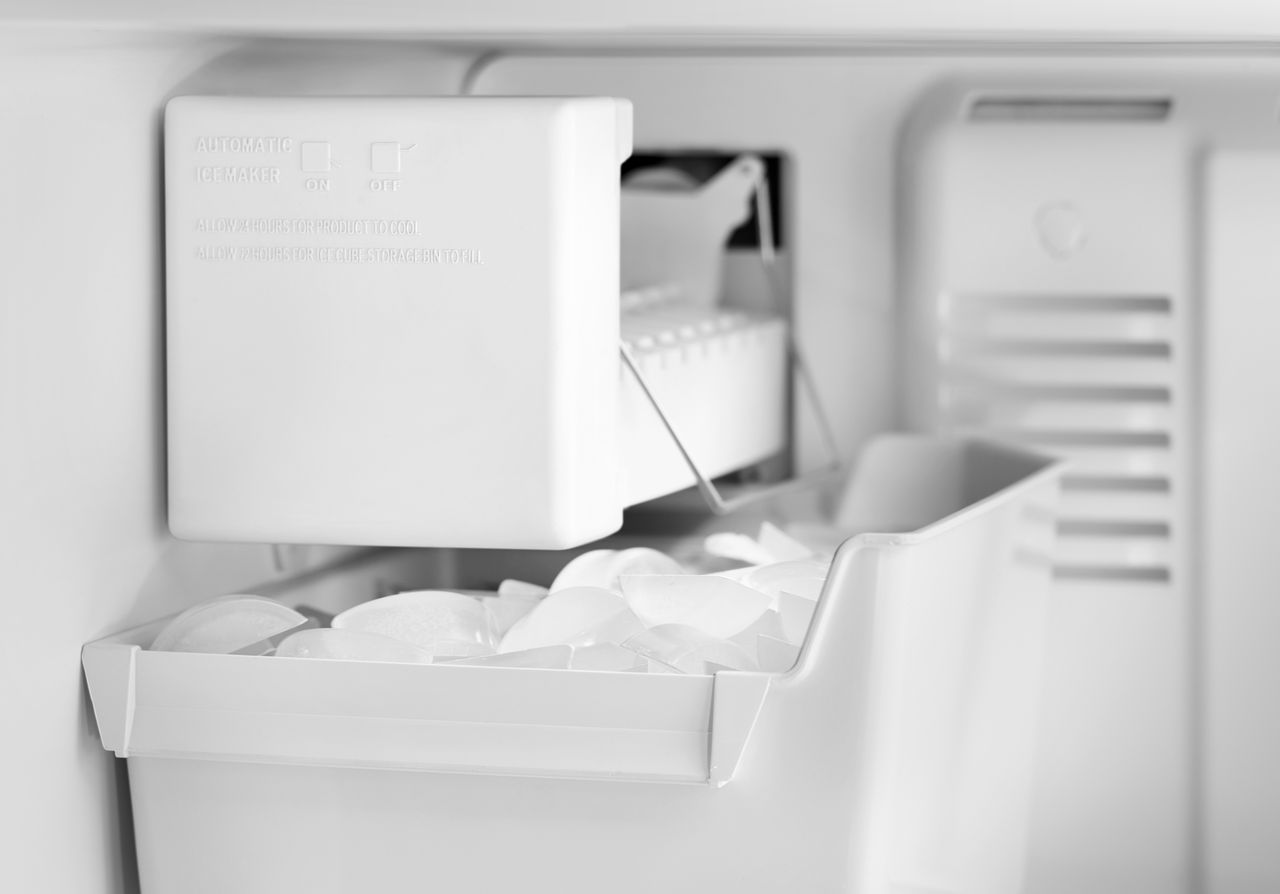
How to Turn Off an Ice Maker With a Shutoff Arm
Many traditional refrigerator ice makers use a metal or plastic shutoff arm. This arm sits above or beside the ice bucket. It works like a small lever that tells the ice maker when to make or stop making ice.
Follow these steps:
-
Open the freezer door.
-
Find the ice maker near the top or side wall.
-
Look for the shutoff arm above the ice bin.
-
Gently lift the arm until it clicks or stays in the raised position.
-
Wait a few hours and check that no new ice forms.
The raised arm tells the ice maker to stop. Do not force it upward if it feels stuck. Ice, frost, or a misplaced storage bin may block it.
Some models use a plastic bar instead of a metal wire. The same general rule applies: lift the bar to stop ice production and lower it to turn the ice maker back on.
Never pull, bend, or remove the arm. It is connected to a small switch inside the ice maker. A damaged arm may stop the unit from sensing the ice level.

How to Turn Off an Ice Maker With a Power Switch
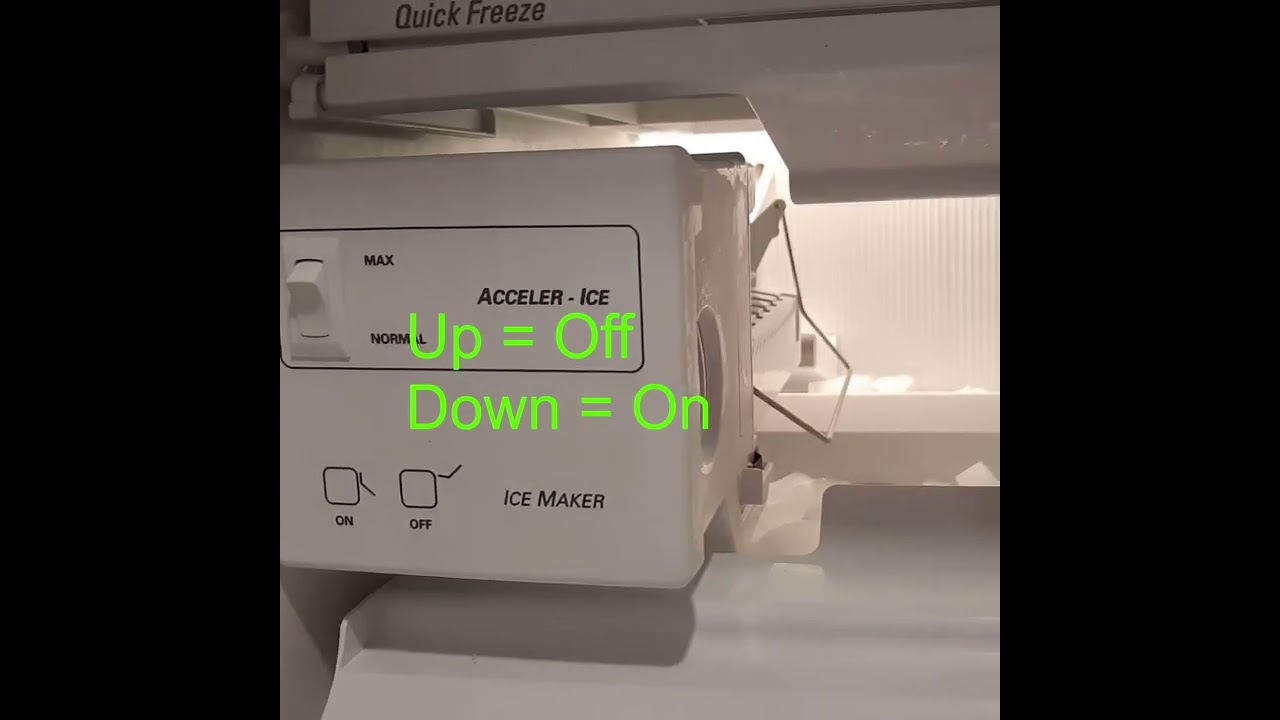
Some newer ice makers have a clearly marked power switch. The switch may say “On/Off,” “Ice Maker,” or show a small power symbol.
To turn off an ice maker with a switch:
-
Open the freezer or refrigerator door.
-
Locate the ice maker assembly.
-
Find the power switch on the side, front, or bottom.
-
Move the switch to “Off.”
-
Confirm that the ice maker stops making noise.
Certain models have a sliding switch. Others use a small button that you press once. Read the label near the controls before changing the setting.
If your ice maker has a switch and a shutoff arm, use the labeled switch first. Do not move both controls unless the owner’s manual says it is safe. Different designs use different control systems.
After switching it off, the ice maker may still complete a cycle that has already started. This can take several minutes. That short delay is normal.

How to Turn Off an Ice Maker From the Control Panel
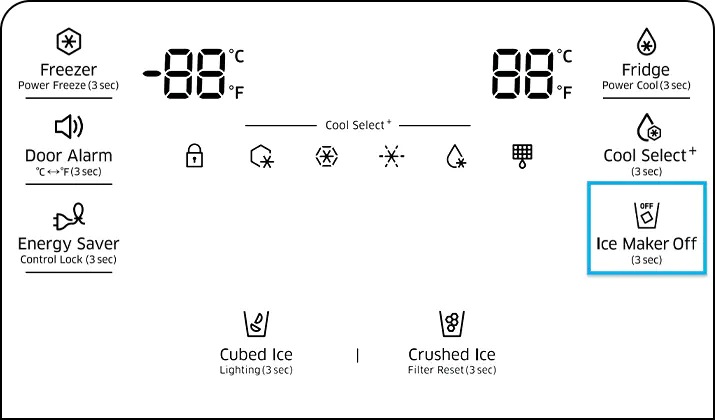
Smart refrigerators and newer French door models may control the ice maker from an electronic display. The controls are often on the freezer door, inside the refrigerator, or above the water dispenser.
The exact menu varies, but the process usually looks like this:
-
Wake the display by touching it.
-
Select “Ice Maker,” “Ice,” or “Settings.”
-
Choose “Off.”
-
Confirm the change if the display asks you to do so.
-
Look for an off symbol or message on the screen.
Some refrigerators have separate controls for the left and right ice makers. This is common in models with an upper ice maker and a lower freezer ice maker. Make sure you turn off the correct one.
A child lock may prevent the setting from changing. If the panel does not respond, hold the lock button for a few seconds. The manual will show the correct button combination for your model.
If you cannot find an ice maker setting, search the model number in the owner’s manual. The model number is often inside the refrigerator compartment or along the door frame.
How to Turn Off an Ice Maker Before Vacation
Turning off an ice maker before a trip is a smart way to reduce the chance of leaks and stale ice. It is especially important if you will be away for more than a few days.
Use this simple process:
-
Turn off the ice maker using the arm, switch, or control panel.
-
Remove all ice from the storage bin.
-
Discard old or wet ice.
-
Turn off the refrigerator water supply if you will be away for a long time.
-
Check the water line and floor for leaks.
-
Keep the refrigerator plugged in unless you are emptying and cleaning the whole appliance.
Do not leave old ice in the bin during a long trip. Ice can melt, refreeze, and form a large block. It may also absorb food odors.
If you shut off the refrigerator water supply, make sure the valve is fully closed. A partly closed valve can still allow a slow leak. After returning home, open the valve slowly and inspect the connection.
For a short weekend trip, turning off the ice maker may be enough. For a long vacation, turning off the ice maker and its water supply offers extra protection.
How to Turn Off an Ice Maker for Cleaning
Cleaning the ice bin and ice maker area is easier when the unit is off. It also reduces the risk of the machine starting while your hands are near moving parts.
First, turn off the ice maker. Then remove the ice bucket and any loose ice. Wash the bucket with warm water and mild dish soap, unless the manufacturer gives different instructions.
Wipe the inside of the ice maker area with a clean, damp cloth. Do not pour water into the ice maker. Keep water away from electrical parts, sensors, and the motor.
Allow all parts to dry before replacing the bin. A wet bin can cause ice cubes to freeze together. It can also make the first batch of ice taste unusual.
I once found that a “broken” ice maker was simply blocked by a frozen clump in the bin. Removing the ice, drying the bucket, and restarting the unit solved the problem. The lesson is simple: inspect the bin before assuming the appliance needs repair.

How to Turn Off an Ice Maker When It Will Not Stop
An ice maker that keeps running may have a stuck shutoff arm, a faulty sensor, or a control problem. Start with the easiest and safest step: use the normal off control.
Try the following:
• Raise the shutoff arm.
• Move the power switch to “Off.”
• Turn off the ice maker in the control panel.
• Remove the ice bin and check for ice blocking the sensor.
• Close the freezer door and wait several minutes.
If the ice maker continues to run, unplug the refrigerator only if you can do so safely and if the food inside will not spoil. A better option may be to close the refrigerator’s water supply valve while you arrange service.
Do not remove electrical covers or test live wires. Ice makers contain electrical parts, and water near electricity creates a serious hazard. Call a qualified appliance technician if the unit keeps cycling, leaks, or makes a burning smell.
A refrigerator may make a short humming sound after you turn off the ice maker. That sound may come from the water valve, fan, or compressor. A repeated cycle with no ice production is more likely to need inspection.
How to Turn Off an Ice Maker Without Turning Off the Refrigerator
You usually do not need to unplug the entire refrigerator. Most ice makers have their own control, so you can stop ice production while keeping food cold.
Use one of these methods:
-
Raise the shutoff arm.
-
Turn the ice maker switch off.
-
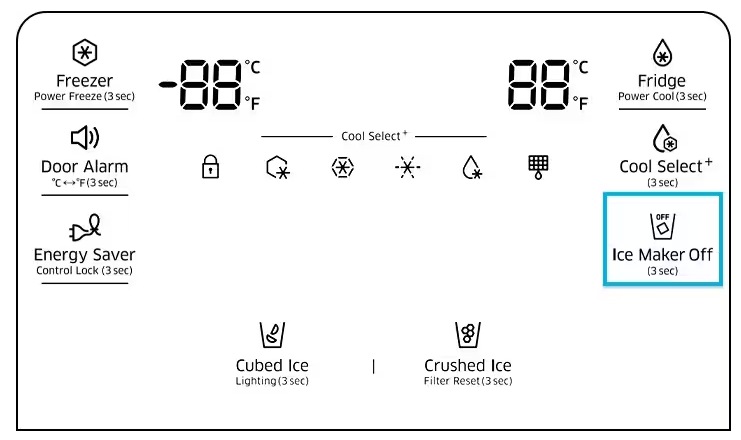
Select “Ice Maker Off” on the control panel.
-
Close the water supply valve if the ice maker control does not work.
Turning off the whole refrigerator is not necessary for normal ice maker maintenance. It can also allow food to warm and spoil.
If you must unplug the refrigerator for repair, keep the doors closed. Perishable food should stay at 40°F or below, according to standard food safety guidance. Use a refrigerator thermometer if you are unsure about the temperature.

What to Do After Turning Off an Ice Maker
After you turn off an ice maker, check the area for leftover water or loose ice. A small amount of water may remain in the fill tube or water line, but there should not be a steady drip.
Use this checklist:
• Confirm that the shutoff arm stays raised or the switch stays off.
• Remove wet or clumped ice from the bin.
• Check the floor below the refrigerator.
• Inspect the water line behind the appliance.
• Wipe away frost or moisture.
• Leave the ice bin in place unless you are cleaning it.
When you turn the ice maker back on, it may take several hours to produce a full batch. The first batch may also be smaller than expected. This can happen because the freezer must reach the correct temperature before the ice maker starts a complete cycle.
Discard the first batch after cleaning the ice maker. This helps remove any remaining soap, dust, or stale water.
Common Ice Maker Problems to Avoid
Turning off an ice maker is easy, but a few common mistakes can cause damage or confusion.
Do not force the shutoff arm
A frozen arm can break if you push it hard. Let the ice thaw naturally, or use a soft cloth with warm water. Never use a sharp tool near the ice maker.
Do not leave the water supply on during a known leak
If the ice maker leaks, turn off the ice maker and close the water valve. This limits water damage while you look for the cause.
Do not use hot water inside the freezer
Very hot water can damage plastic parts or create a rapid temperature change. Use a damp cloth or lukewarm water instead.
Do not confuse “ice off” with “cooling off”
Some refrigerator panels have separate buttons for ice production and cooling. Check the display carefully before confirming a setting.
Do not ignore repeated noises
A brief click or hum can be normal. Repeated clicking, grinding, or buzzing may indicate a stuck motor, blocked ejector, or failing water valve.
These steps reflect common appliance safety practices, but your model’s manual takes priority. A built-in refrigerator may use a different switch or control sequence than a standard top-freezer model.
When to Call an Appliance Professional
You can usually turn off an ice maker without professional help. However, some problems need trained service.
Contact an appliance professional if:
• The ice maker will not turn off.
• Water continues to leak after the supply valve is closed.
• The refrigerator trips a circuit breaker.
• You smell burning plastic or wiring.
• The ice maker has exposed wires.
• The shutoff arm is broken.
• The control panel shows an error code.
• The freezer has heavy frost around the ice maker.
A technician can test the water inlet valve, thermostat, motor module, sensor, and wiring. These parts are not safe to repair without the right tools and knowledge.
Before arranging service, write down the refrigerator brand, model number, symptoms, and any error code. A short video of the noise can also help the technician identify the issue.
FAQ: How to Turn Off an Ice Maker
How do I turn off an ice maker quickly?
Raise the shutoff arm, move the power switch to “Off,” or select “Ice Maker Off” on the control panel. The correct method depends on your refrigerator design.
Does turning off the ice maker stop the water supply?
No. Turning off the ice maker usually stops ice production but may leave the water line pressurized. Close the refrigerator’s water valve if you are leaving for a long time or if you notice a leak.
Should I empty the ice bin when I turn off the ice maker?
Emptying the bin is helpful, especially before cleaning or traveling. Old ice can melt, refreeze, absorb odors, and form a solid block.
Why does my ice maker still make noise after I turn it off?
The unit may be finishing a cycle, or the sound may come from the refrigerator fan or compressor. If the noise continues or becomes loud, check the manual and arrange service if needed.
Can I turn off the ice maker without unplugging the refrigerator?
Yes. Most ice makers have a separate shutoff arm, switch, or control-panel setting. You can keep the refrigerator running to protect your food.
How long does it take for an ice maker to stop?
An ice maker often stops at once, but it may finish a cycle already in progress. Give it several minutes before checking whether the noise and ice production have stopped.
How do I turn an ice maker back on?
Lower the shutoff arm, move the power switch to “On,” or select the ice maker setting on the control panel. It may take a few hours to make the first full batch.
Conclusion
Knowing how to turn off an ice maker can help you prevent wasted ice, reduce leak risks, and make cleaning safer. Most models use a raised shutoff arm, a power switch, or an electronic control-panel setting.
Empty the bin, check the water line, and follow your refrigerator manual when the controls are unclear. If the ice maker will not stop, leaks, or shows signs of electrical trouble, use a qualified appliance professional.
Try these steps the next time you need to turn off an ice maker, and share your refrigerator model or experience in the comments.